
Adding a tour manager
A tour manager is a person, not an email address. You type their name, the app makes a personal link and a six-digit PIN, and you hand both over. They open the link, enter the PIN, and the tour opens for them.
A tour manager costs nothing and is not a seat. Their access is to the tours you put them on, and nothing else in your account.
Adding someone
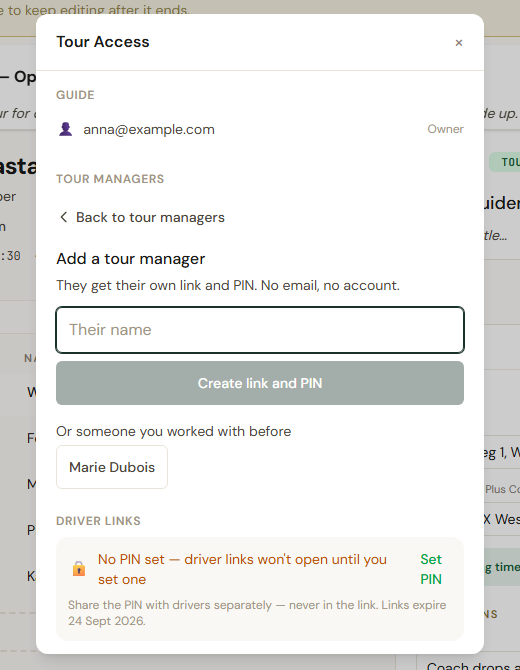
Section titled “Adding someone”Open Tour details, then Share. The panel is headed Tour Access. Under Tour Managers, tap Add a tour manager, type Their name, and tap Create link and PIN. The form says what they get: They get their own link and PIN. No email, no account.
If you have worked with someone before, they are listed under Or someone you worked with before. Tap their name and they are on this tour too, with the link and PIN they already have.
Handing it over
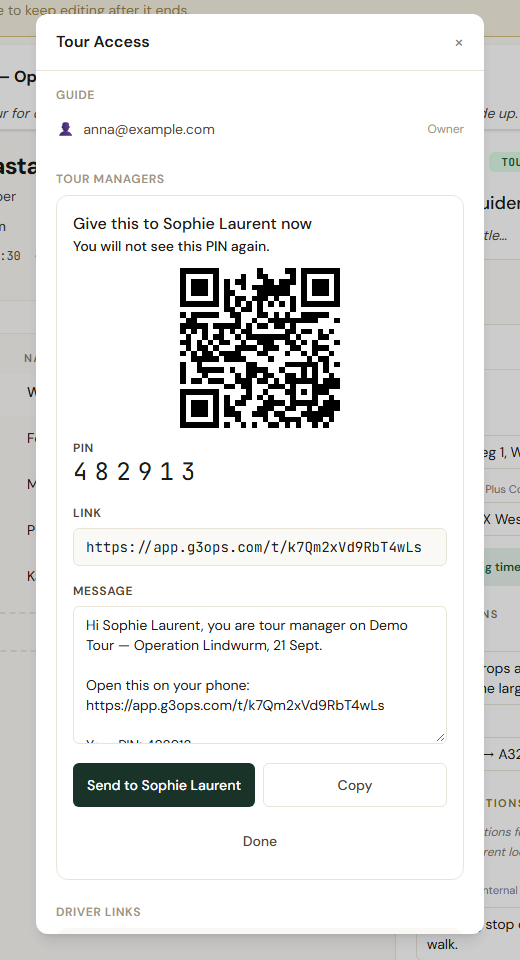
Section titled “Handing it over”Straight after creating, the panel shows a card headed Give this to Sophie now, with a QR code, the PIN, the Link, and a ready-written Message you can edit. Send to Sophie opens your phone’s share sheet, so it goes out by WhatsApp, text or whatever you use; Copy puts the message on the clipboard. If they are standing next to you, they can scan the QR code instead.
You will not see this PIN again. The app never stores it. If you close the card before handing it over, make a new pair, as below.
The list
Section titled “The list”Each person shows a status under their name: Not opened yet, Last signed in 19 Sept, or Locked until 14:20 after too many wrong PINs. A lock lifts by itself.
Lost their link or PIN?
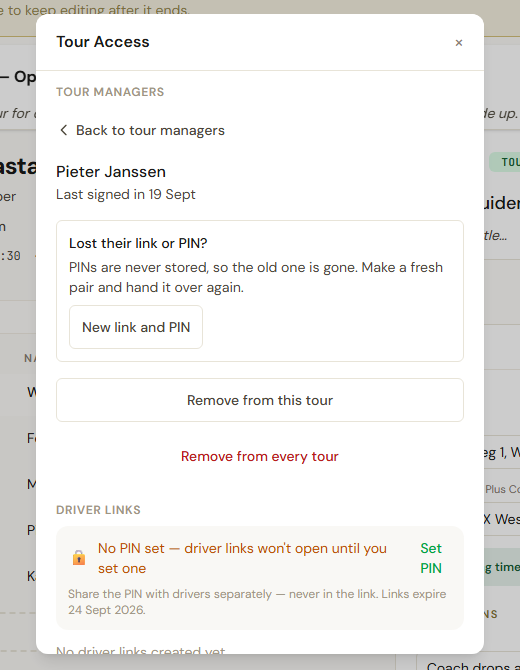
Section titled “Lost their link or PIN?”Tap the person, then New link and PIN. The old link stops working. If they have already signed in, they stay signed in on the phone they are holding, unless you tick Also sign out devices already signed in. Hand over the new pair the same way.
What they can do
Section titled “What they can do”Everything you can on that tour, except permanently delete it or copy it. They can set the driver PIN and manage driver links. Their editing is not blocked by the state of your subscription. Details on What you can and cannot change.
They cannot add or remove other tour managers. That stays with you, and with the admins of a team account.
Removing
Section titled “Removing”Tap the person. Remove from this tour takes them off this tour only; their link keeps working for any other tour of yours they are on. Remove from every tour disables the link and PIN altogether and signs them out within the hour. The app is plain about the limit: tour information already downloaded to their phone cannot be recalled. It cannot be undone, and adding them again later makes a new link and PIN.