
How the times work
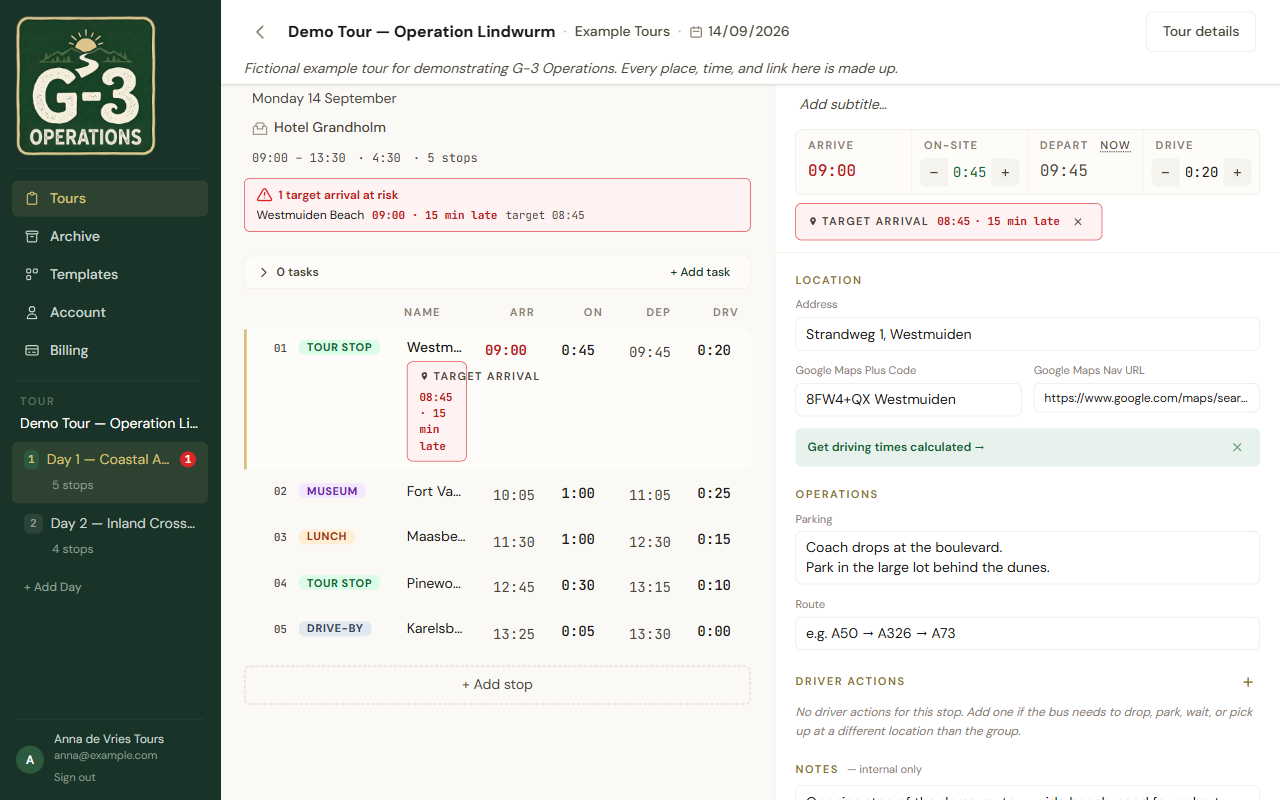
You set the first arrival of the day, and for every stop how long you stay and how long the drive to the next one takes. Arrivals and departures fall out of that.
The rule
Section titled “The rule”- Depart = arrive + on site. Always computed, never typed.
- Arrive of the next stop = depart of this one + drive. Computed for every stop except the first.
- Arrive of the first stop is the one arrival you type.
Change any on-site or drive value and every stop after it moves. This is the point: when the museum runs twenty minutes over, you change one number and the whole afternoon is honest again.
Editable values are in heavier type than computed ones. Nothing is faint. Faint would say “don’t touch”, and you can touch everything that is heavy.
Target arrivals
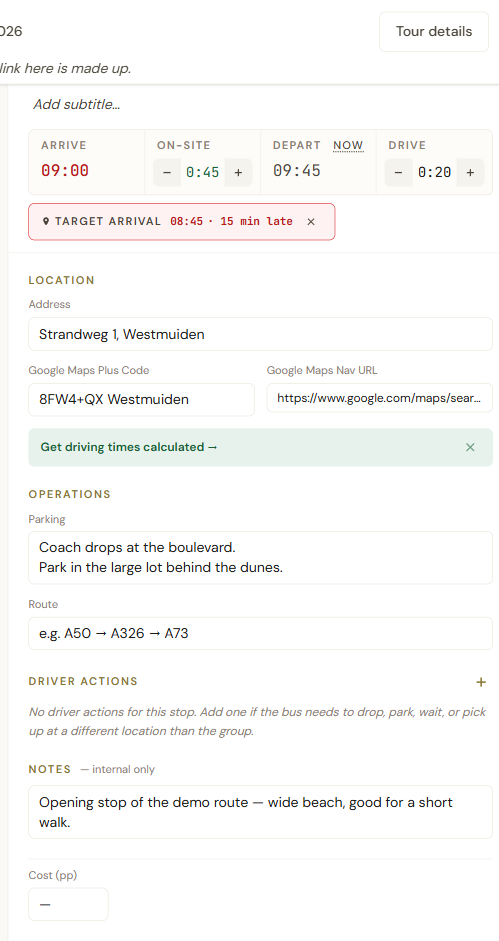
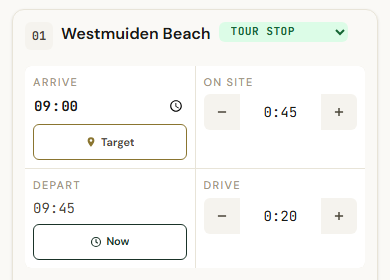
Section titled “Target arrivals”Some stops have a time you must make: a booked entry, a ferry, a restaurant. On a phone, tap the Target button under the stop’s arrive time; on a desktop, the + target link. It starts at the stop’s current arrival, so one tap is enough when the plan is already right, and you adjust it from there: the plus and minus on a phone, or click the time and type on a desktop. The small × beside it removes the target again.
The target does not move the plan. It is a check, not an anchor.
If the computed arrival is past the target, the stop’s arrive time turns red and says how late: 10 min late, 1h10 late. A stop that makes its target says on time. The day header counts the stops at risk. Fix it upstream by shortening a stay or leaving earlier.
Leaving now
Section titled “Leaving now”On the day you are actually running, every stop has a Now button under its depart time (a Now link on a desktop). Tap it as the coach pulls away: it sets the departure to the current time and pushes the rest of the day from there. It turns to Set for a moment so you know it took. The button only exists on today’s date, so it is not there while you are planning next month. It does this by adjusting that stop’s on-site time, so the morning’s agreed pickup never moves. It refuses if the plan says you have not arrived yet. When it would shift the day by more than an hour and a half it asks first, because there is no undo: the button turns to Confirm, and a second tap within a few seconds does it.
Typing
Section titled “Typing”Times are 24-hour: 9:30, 09:30 or 0930. Durations show as hours and minutes, 1:30, and accept 1h30, 90 or 1.5 as well. The steppers move by five minutes. Enter saves, Escape cancels, and something unparseable is silently dropped.