FOR GUIDES AND TOUR MANAGERS
You are the one holding the whole day in your head.
Forty people, six stops, two booked times, one driver who needs to know where to park, and a museum about to run twenty minutes over. This is the tool for that, and for the evening three weeks earlier when you built it.
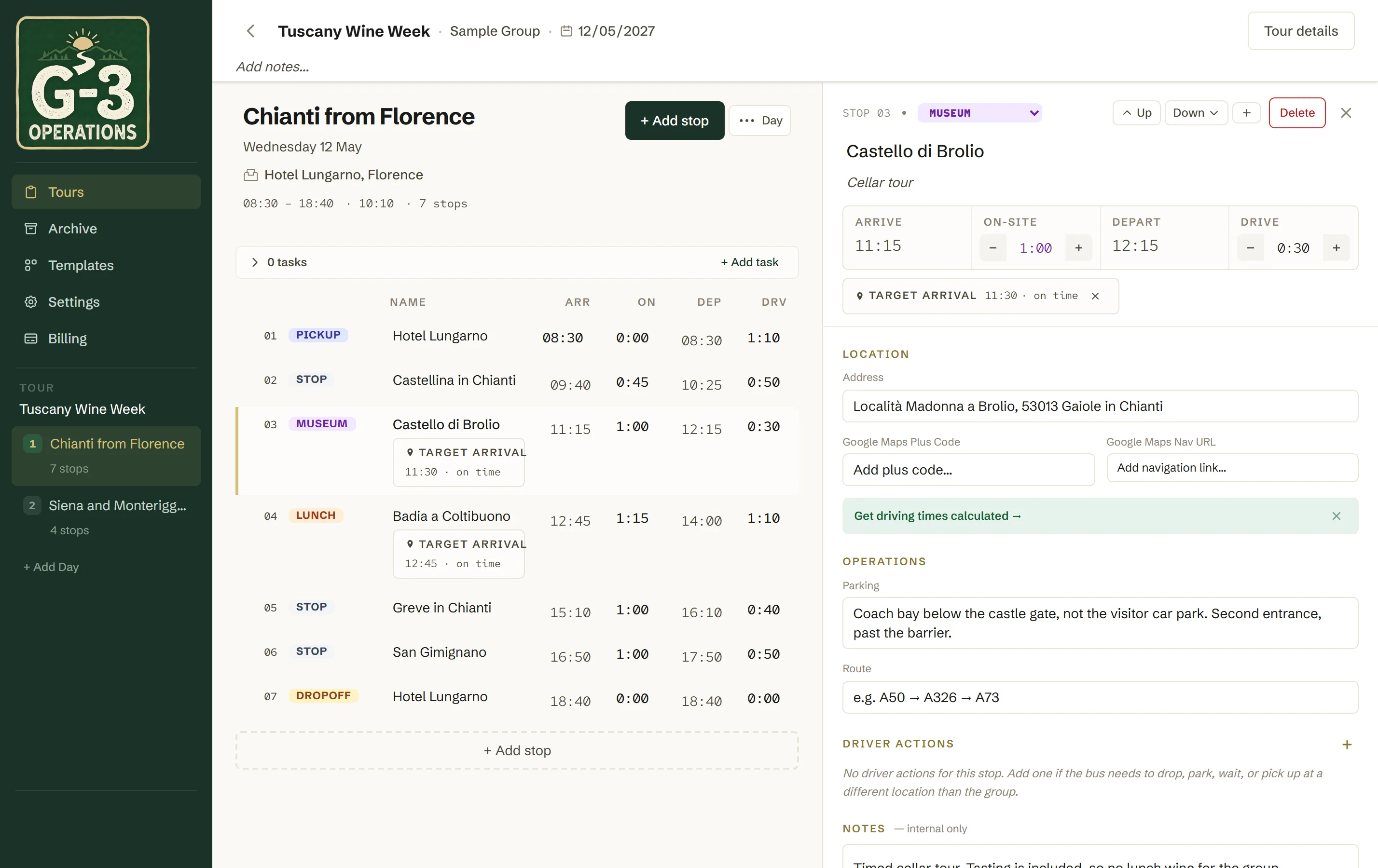
One day of a two-day tour. The left half is the day, the right half is the stop you are editing.

BEFORE
Building it
Bring the tour you already have
Most tours start life in a spreadsheet. Import one and it becomes a day of stops with times, rather than being retyped. Export any tour back to a spreadsheet whenever you like, including the tasks and the driver instructions.
Let the map do the driving times
Give two stops a Plus Code and the drive between them is calculated rather than remembered. A whole day recalculates in one action. Tours run in a coach by default, which is slower than a car and cannot take some roads, so the times come back as a coach would actually drive them.
Build the tour once, run it every season
A tour you run repeatedly becomes a template. Start a new run from it, set the dates and the client, and the itinerary comes with it. A day you run in several tours is copied into them in one action, stops, tasks and driver instructions included, or duplicated inside the tour it is in. Old tours go to the archive rather than being deleted, so last year is still there when a client asks what you did.
Mark the times that are actually booked
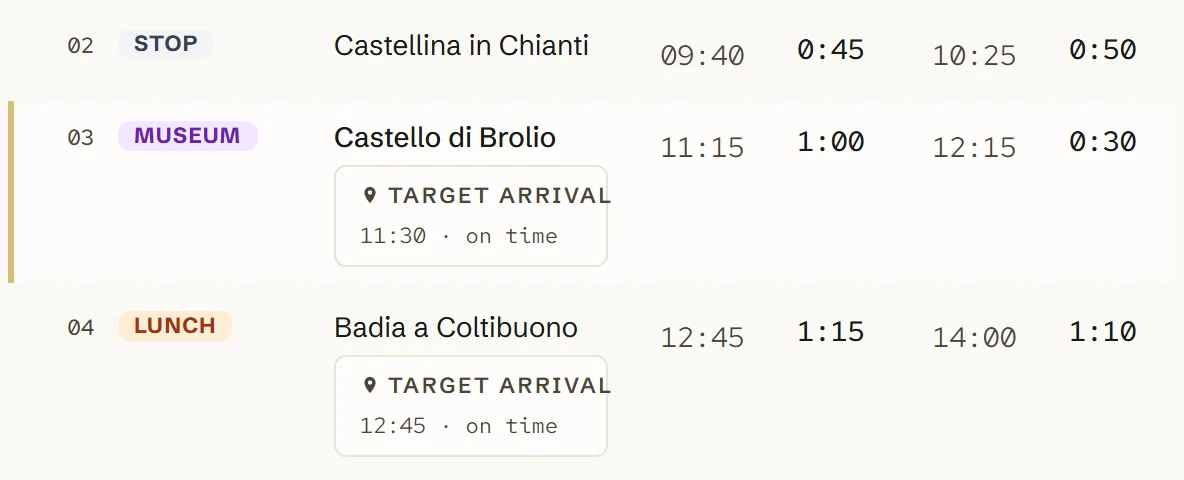
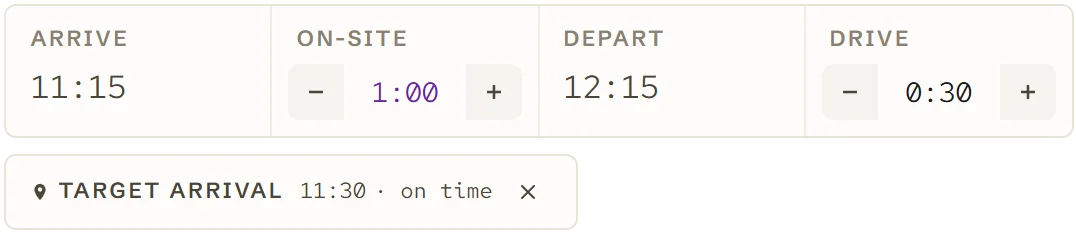
A museum slot at 09:30 or a table at 12:00 is a constraint, not a preference. Set it as a target arrival and the tour tells you whether you still meet it, measured against the honest computed time rather than the one you hoped for.
ON THE DAY
Running it
A day, from the hotel pickup to the drop-off.
09:00
Everyone is looking at the same day
The driver opens a link, enters a PIN, and sees the next stop, the arrival time and where the coach goes. No account, no app store, no download. Your second tour manager has the same day on their phone, and when it changes it changes for all of them.
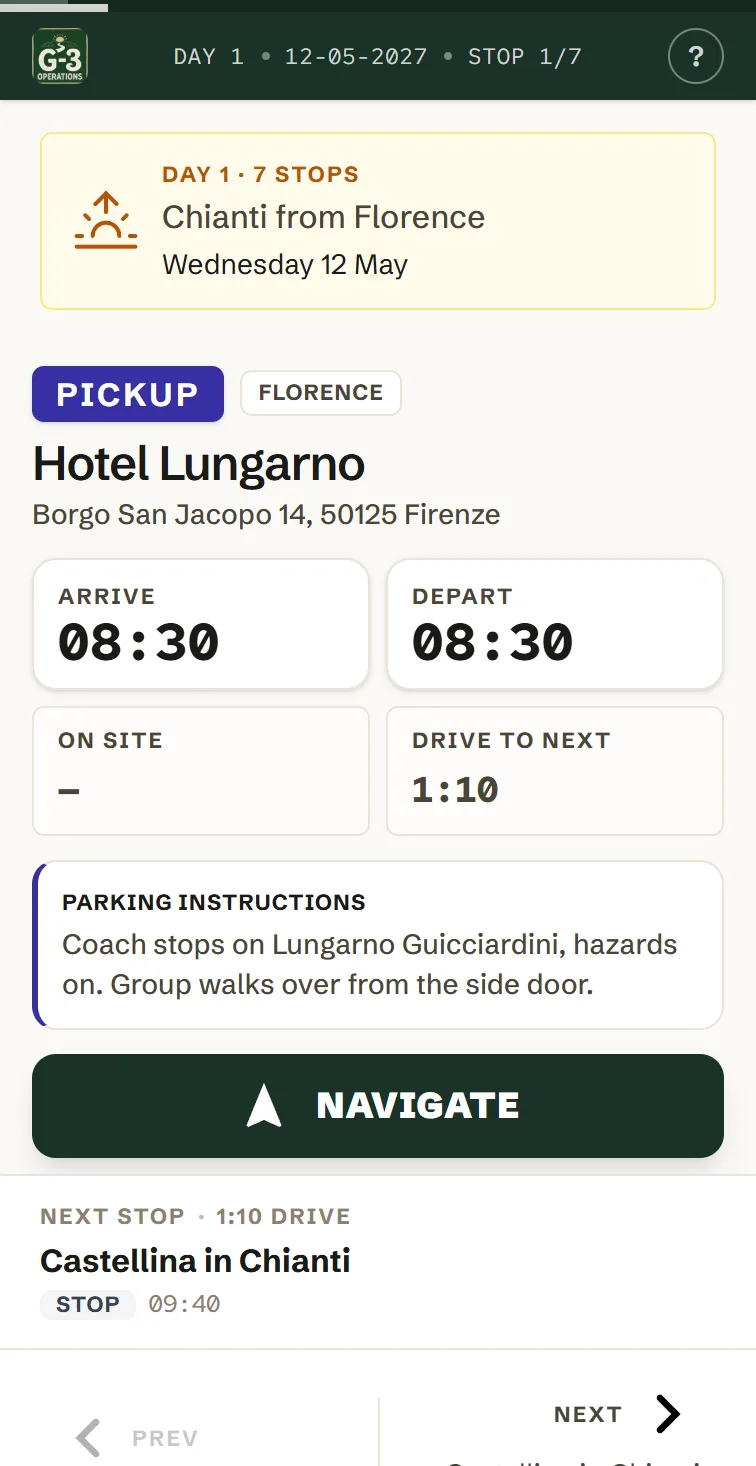
You write the parking note once, standing there wishing someone had told you, and it is on their screen every time you run the tour after that.
10:35
A stop runs late
One tap sets a departure to the time you actually left. Every arrival, departure and drive after it moves, and you can see before you commit whether lunch still works and whether you are back for dinner. If a change would shift the rest of the day by more than an hour and a half, it asks you to confirm, because there is no undo standing in a car park.
16:10
Nobody phoned you
That is the whole return on this: not minutes saved, but the mental space you get back for the part of the job you are actually there to do.
ON A PHONE
Built at a desk. Used on a coach.
Plan the whole tour on a laptop, with a big screen and both hands, three weeks before anyone gets on a bus. Then open the same tour on your phone on the day and change it there.
Not an export, not a printout, not a read-only copy that drifts out of date the first time something moves. The same tour, every edit landing in both places. And the phone is a different build of the same day rather than the desktop screen squeezed down, because standing in a car park and sitting at a desk are different jobs.
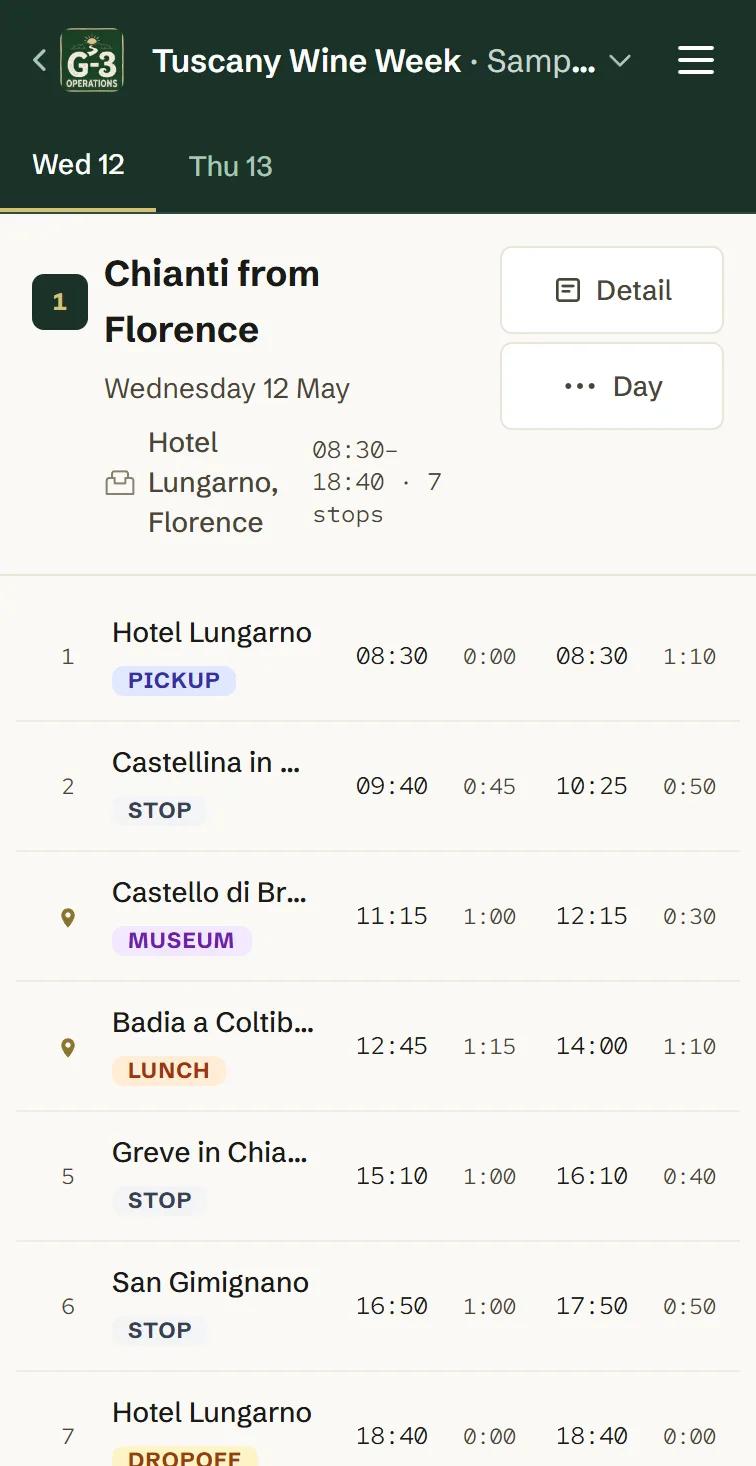
The whole day on one screen, read-only, so you can check where you are without scrolling and without nudging a time by accident. Tap any stop to open it.
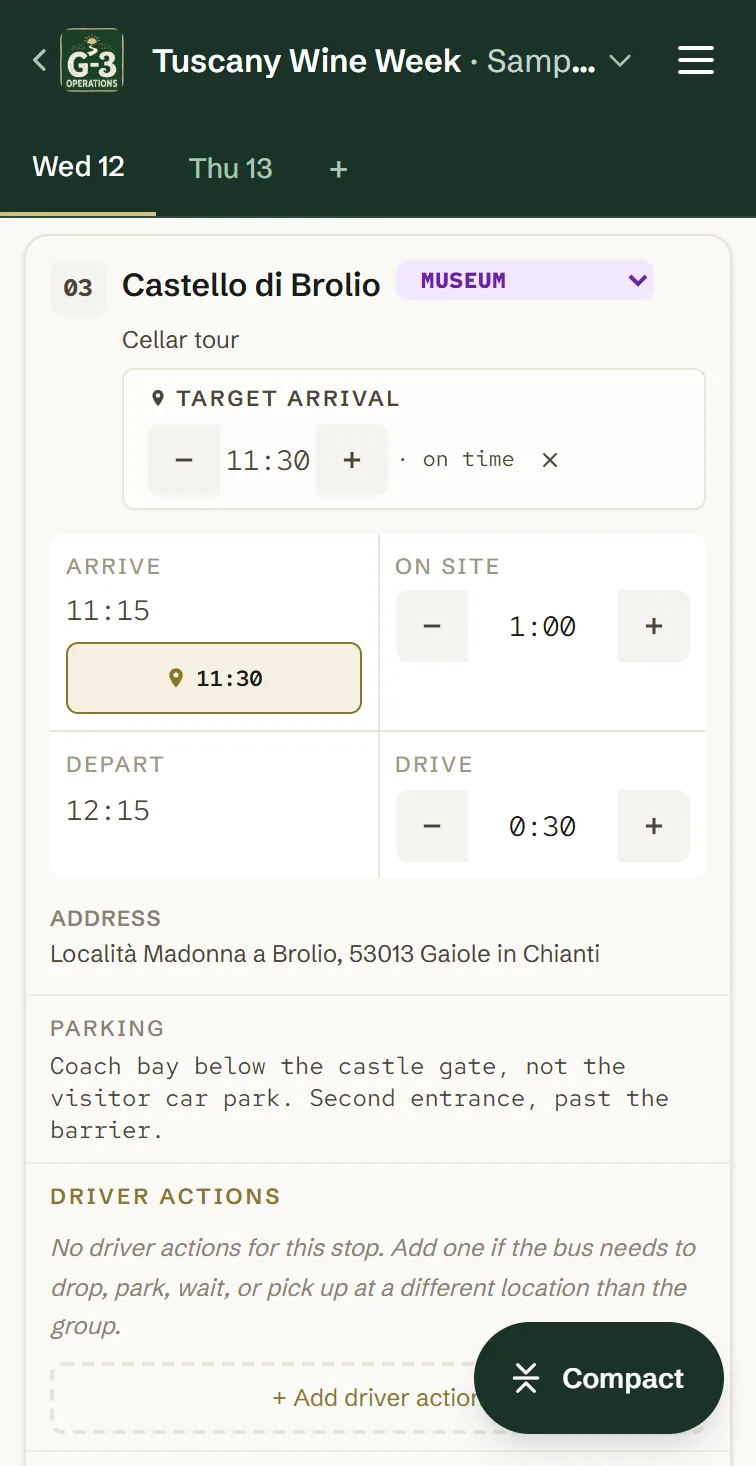
The same stop, editable. Plus and minus sized for a thumb on a moving coach rather than for a mouse, with the address, the parking note and the driver moves underneath. Every change re-times the rest of the day as you make it.
A button in the day header switches between the two. It installs to the home screen and keeps working with no signal, which is the state most of the countryside is in.
Offline, you keep reading and editing and every change is saved on the phone. When the signal comes back the changes are sent, and drivers and tour managers who are online see them within seconds. Nobody sees a change before the phone that made it has reconnected.
DETAIL
The parts you only think of on the road
Tasks that are not stops
Pull the luggage, call the hotel, collect the museum tickets. These hang at a point in the day without becoming stops, so they never distort the timings, and they carry an assignee so a second tour manager knows whose job it is.
What the coach does while the group is away
A stop can carry the driver moves around it: drop the group here, park there, pick up at the south gate. Each with its own address, navigation link and parking notes. None of it has a time of its own, because it happens inside the time the group is on site.
A second tour manager on the second coach
Type their name and send them the link and PIN the app gives you. No email address, no account, nothing to install. They get the tour, not your account. Two coaches running the same day stay on the same day.
NEXT
Import a tour and see it on your own day.